Why Getting Your B2B Company Store Setup Right Matters From Day One
A proper B2B company store setup is the difference between a scalable merchandise program and a constant source of operational headaches.
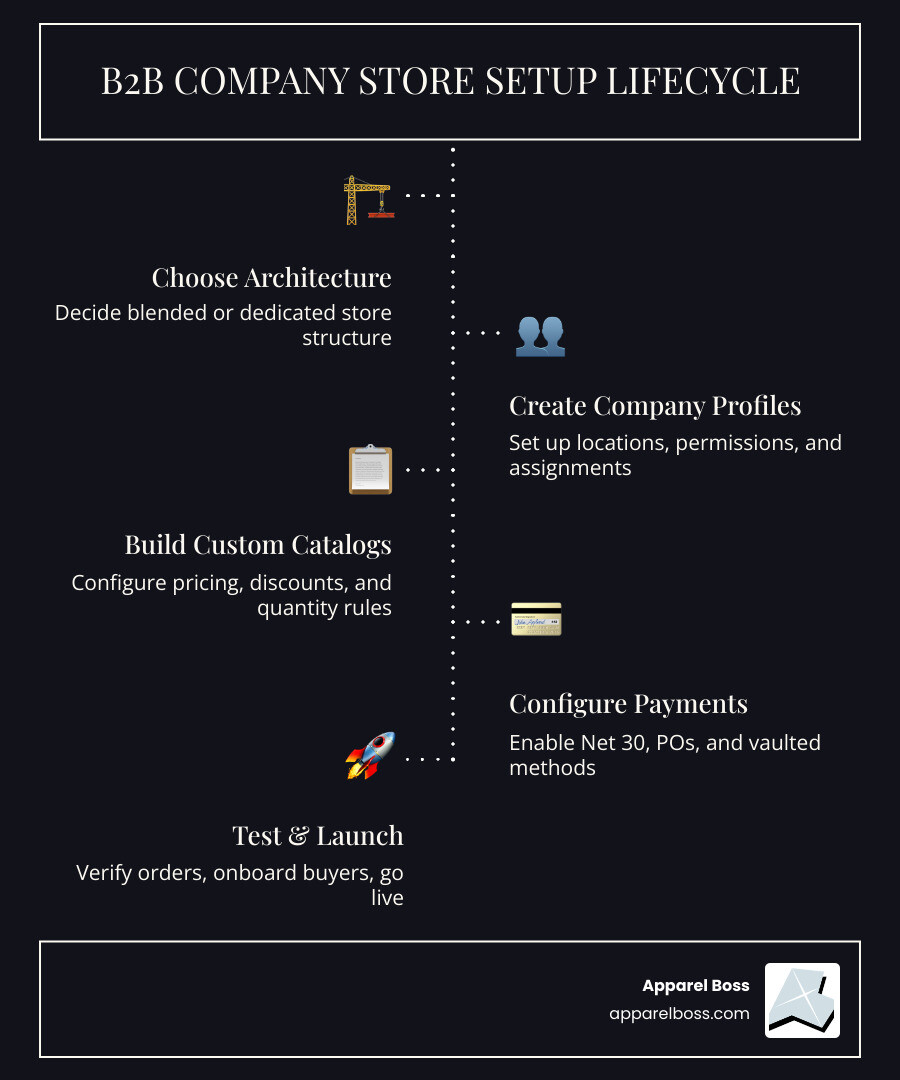
Here's a quick overview of what a successful B2B company store setup involves:
- Choose your store architecture — blended (B2B + DTC in one store) or dedicated (B2B only)
- Create company profiles — with locations, buyer permissions, and customer assignments
- Build custom catalogs — with role-based pricing, volume discounts, and quantity rules
- Configure payment terms — Net 30, purchase orders, or vaulted payment methods
- Restrict access — require login, gate pricing, and control what each buyer sees
- Set up fulfillment — shipping profiles, tax exemptions, and inventory rules
- Test before launch — place test orders, verify segmentation, invite buyers
B2B buying has changed fast. Today, 65% of B2B companies can execute the full sales process online — and a growing number of decision-makers are placing large orders digitally without ever speaking to a sales rep.
But most organizations setting up a B2B company store for the first time run into the same problems:
- Employees ordering inconsistently, creating brand drift
- Manual order processing eating up HR and operations time
- No clear pricing tiers or access controls for different buyer groups
- Inventory waste from over-ordering or poor size distribution
The result? A program that costs more than it should and delivers less than it could.
Getting the foundation right from the start — the architecture, the access controls, the catalog structure — is what separates a store that runs itself from one that requires constant intervention.
This guide walks you through every step of building a B2B company store that works at scale.
Choosing the Right Architecture for Your B2B Company Store Setup
Before you upload a single logo or product, you must decide on the structural foundation of your store. In Shopify B2B, this comes down to two paths: a blended store or a dedicated store. This decision impacts everything from how you manage inventory to how your team experiences the brand.
Blended vs. Dedicated Stores: Which Fits Your Business?
A blended store is a single storefront that serves both the general public (DTC) and your business buyers (B2B). While this sounds simple, it requires sophisticated segmentation to ensure a retail customer doesn't accidentally see wholesale pricing.
A dedicated store, on the other hand, is a completely separate environment. It is often "gated," meaning a user cannot even see the products without an approved account. This is the gold standard for large-scale corporate merchandise programs where privacy and specific branding are paramount.
| Feature | Blended Store | Dedicated Store |
|---|---|---|
| Inventory | Shared across all channels | Isolated for B2B only |
| Admin | One dashboard for everything | Separate dashboard and settings |
| Branding | Must balance retail and B2B | 100% tailored to the company |
| Analytics | Combined (requires filtering) | Clean, B2B-specific data |
| Complexity | High (requires strict tagging) | Low (naturally segmented) |
Choosing the wrong path early on can lead to "inventory drift," where your retail sales eat into the stock reserved for your internal teams. If you are unsure which direction to take, evaluating Is a Merch Store a Right Fit for Your Company? can help clarify your operational goals.
For those moving forward with a wholesale-first mindset, following a Step-by-Step Guide for Wholesalers ensures that technical requirements like Shopify Plus are handled correctly from the start.
Strategic B2B Company Store Setup: Catalogs and Pricing
Once the architecture is set, the next phase of your B2B company store setup is defining who sees what and at what price. In a corporate environment, a manager in the New York office might need access to high-end executive gifts, while a field team in Suffolk County needs durable workwear.
Custom Catalogs allow you to curate product selections for specific groups. You don't just dump your whole inventory on everyone; you provide a relevant, narrowed-down selection. This is a core part of how we Simplify Ordering for Corporate Stores.
Key pricing rules to implement include:
- Volume Pricing: Offering lower per-unit costs when a department orders in bulk.
- Quantity Rules: Setting Minimum Order Quantities (MOQs) to ensure production remains cost-effective.
- Fixed vs. Percentage Discounts: Deciding if a group gets a flat $20 price or 15% off the MSRP.
To see these features in action, you can explore the Shopify B2B Demo Store, which showcases how different login credentials reveal different pricing structures.
Managing Company Profiles and Access Restrictions
In a standard retail store, a "customer" is one person. In a B2B company store setup, a "Company" is a complex entity that might have multiple locations (e.g., Nassau County vs. Manhattan) and dozens of individual buyers.
Shopify B2B allows you to create Company Profiles. This lets you:
- Assign Locations: Set different shipping addresses and tax IDs for different branches.
- Set Permissions: Decide who can place an order versus who can only build a "draft" that requires manager approval.
- Authentication: Require all users to log in before seeing any proprietary branding or pricing.
Understanding why corporate apparel stores are important helps frame this: it’s not just about selling shirts; it’s about controlling the brand and the budget. By restricting access, you prevent unauthorized use of your logo and ensure that only approved personnel are spending the company's merchandise budget.
Optimizing Checkout with B2B Payment Terms
The checkout experience for a business buyer should feel different than a midnight Amazon purchase. B2B buyers expect professional financial terms.
During your B2B company store setup, you should configure:
- Net Terms (e.g., Net 30): Allowing the company to place an order now and pay the invoice 30 days later.
- Purchase Orders (PO): Requiring a PO number at checkout to help the accounting department track spending.
- Vaulted Credit Cards: Letting frequent buyers securely save a corporate card for one-click reordering.
- Draft Orders: Enabling a sales rep or admin to create an order on behalf of a buyer, which the buyer then simply approves and pays.
A comprehensive guide to starting a B2B store highlights that these payment options are often the "make or break" feature for corporate adoption. If it’s hard for your finance team to track the spending, the store won't be used.
Operationalizing Your B2B Company Store Setup for Scale
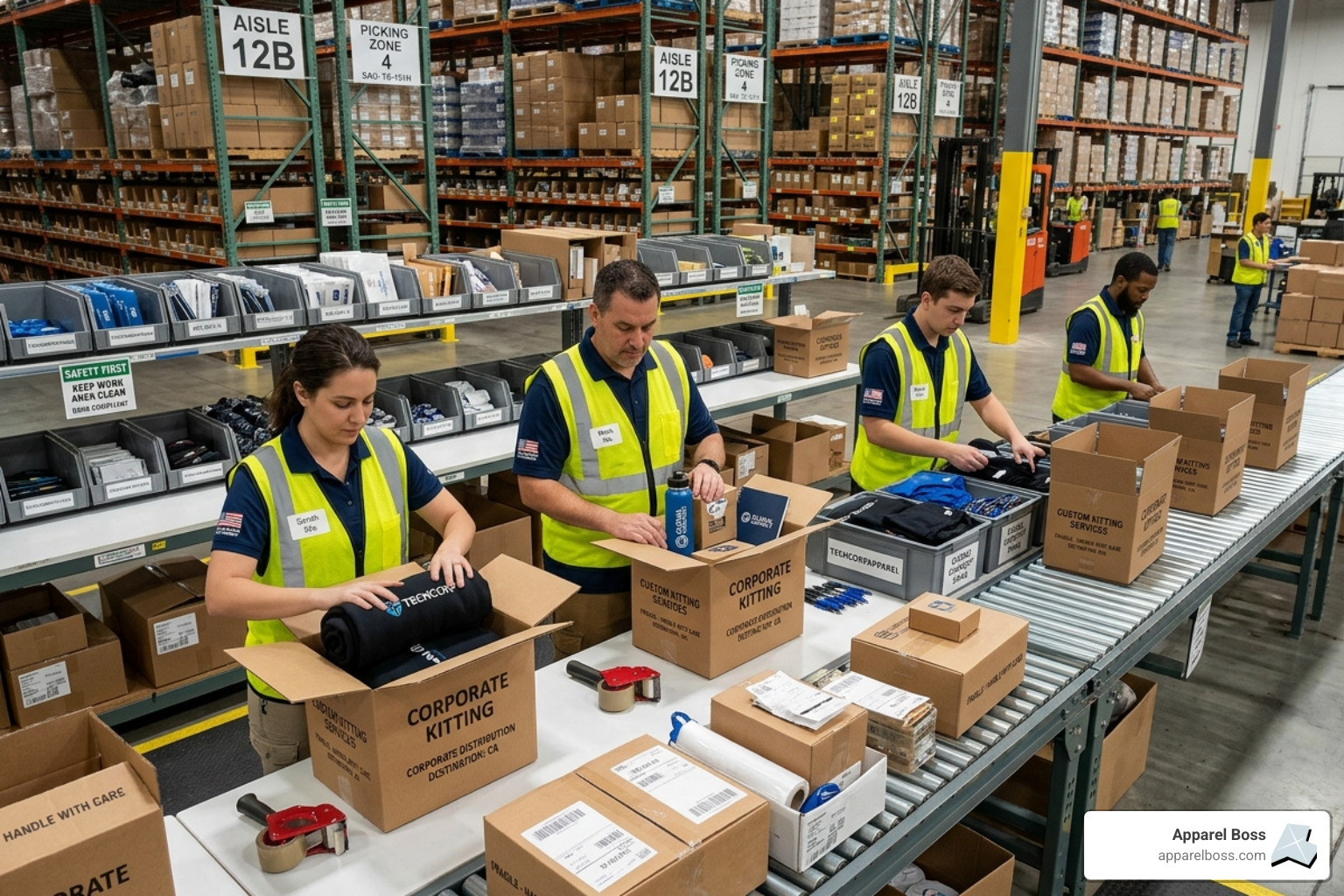
Building the storefront is only half the battle. The other half is making sure that when an order is placed, the right product gets to the right person without a mountain of manual paperwork.
Inventory and Fulfillment Strategy
One of the biggest pitfalls in a B2B company store setup is failing to sync inventory with production. If your store says a jacket is in stock, but your decorator in Long Island hasn't received the blanks yet, you have a customer service crisis.
Successful stores use Shipping Profiles to handle the unique needs of B2B. For example, you might offer "Free Office Pickup" for your New York, NY headquarters while charging calculated freight for bulk shipments to regional centers in Suffolk County.
Additionally, you must handle Tax Exemptions. Most B2B transactions are for resale or internal corporate use, which may require specific certificates. Automating this at the account level saves your team from manually refunding sales tax on every order. Moving from ideas to inventory requires a tight link between your online storefront and your physical fulfillment center.
Enhancing Functionality with B2B-Specific Apps
While Shopify Plus provides incredible native tools, certain "operational must-haves" are best handled by specialized apps.
- Shopify Flow: Use this to automate tasks, such as automatically tagging an order as "High Value" if it exceeds a certain dollar amount or notifying a sales rep when a new company requests an account.
- Matrixify: Essential for bulk-importing thousands of SKUs or complex company structures without manual data entry.
- Checkout Blocks: Allows you to customize the checkout page specifically for B2B—for example, hiding certain shipping methods for customers who have "Net 30" terms.
- SparkLayer: A powerful tool for those who need to bring B2B functionality to standard Shopify plans or require even deeper "Quick Order" list features.
Using these tools is how you build a scalable program without wasting budget. Automation reduces the "administrative tax" that usually kills the ROI of a merchandise program.
Testing and Launching Your B2B Company Store Setup
Before you send out the "We're Live!" email, you must put the system through its paces. A "soft launch" with a small group of trusted users is highly recommended.
The B2B Launch Checklist:
- Test Orders: Place an order using "Net 30" and ensure the invoice is generated correctly.
- Permission Check: Log in as a "Buyer" and verify you cannot see the admin-only products.
- Mobile Responsiveness: Ensure your field teams can easily reorder gear from their phones while on-site in Nassau County.
- Sales Staff Sync: Verify that your sales reps have the correct permissions to view their assigned company locations.
Launching with high-quality, curated stores ensures that the first impression is professional. A buggy store launch will lead to low employee adoption, sending people right back to the manual, "send me an email with your size" methods you are trying to replace.
Conclusion: Partnering for Long-Term Merchandise Efficiency
A successful B2B company store setup is not a "set it and forget it" project. It is a living system that should evolve as your company grows. By moving away from manual spreadsheets and toward a structured, automated storefront, you solve the core problems of wasted inventory and brand inconsistency.
At Apparel Boss, we specialize in taking the stress out of this process. Whether you are managing a team across Long Island or coordinating a national rollout from New York City, our focus is on operational excellence. We help you move from the "problem phase"—where merchandise is a headache—to the "system phase," where your company store runs with clockwork efficiency.
By centralizing your ordering, fulfillment, and production, you don't just get better shirts—you get a better business process.
Ready to streamline your operations? Request a Store Demo today and see how a professional B2B setup can transform your corporate merchandise program.
The Expert Way to Handle B2B Company Store Setup Without the Stress